Scott Pilgrim EX Torrent Download

Table of Contents
📚 Scott Pilgrim EX Overview
Scott Pilgrim EX is an action-adventure beat ’em up PC game. The story is set in Toronto, where three rival gangs — the Vegans, the Robots, and the Demons — have taken control of the city. When Scott Pilgrim’s bandmates are taken away by unknown forces, Scott and his friends go on a new adventure to find them and stop the gangs.
Players can play as seven fan-favourite characters, including Scott Pilgrim and Ramona Flowers. Every character has a unique way of fighting. The combat is based on instinct and quick thinking. Players can do stylish combos, use funny and unusual weapons, and perform big special attacks. The game also lets players use items from their surroundings in fights.
Characters can be upgraded using special badges that improve their stats and give special bonuses. Players can also spend coins to buy and equip items to build a unique fighter. The game has many interconnected levels spread across Toronto. Players can explore these areas, meet new and old characters, and find hidden spots.
The game supports single-player as well as co-op for up to four players, both local and online. Players can join or leave a co-op session at any time. The story is written by Bryan Lee O’Malley, the original creator of the Scott Pilgrim graphic novel series.
Scott Pilgrim EX supports Steam Cloud and Steam Achievements. The game is available in 13 languages, including English, French, Japanese, Russian, and Korean.
🎮 Game Information
| 🕹️ TITLE: | Scott Pilgrim EX |
|---|---|
| ⚡ VERSION: | v1.0.0.13877 |
| 🛠️ DEVELOPER: | Tribute Games Inc. |
| 💻 PUBLISHER: | Tribute Games Inc. |
| 📅 RELEASE DATE: | 3 Mar, 2026 |
| 📂 GENRE: | Action, Adventure, Indie |
| 💾 SIZE: | 476.1 MB |
| 💸 BUY LINK: | Store Page |
| ⭐ USER RATING: |
⚙️ Installation Instructions
We have simple instructions for downloading and installing the Scott Pilgrim EX torrent game on your Windows operating system. The procedure is the same for all Windows operating systems. Before proceeding, ensure that your system meets the minimum system requirements to play the Game.
You must have zip file extracting software and torrent software installed on your PC. If you do not have these two software programs installed on your PC, then you will first need to download and install the two software programs on your PC before following the steps.
You can use any zip file extracting software and torrent software, (We recommend "WinRAR" and "qBittorrent" Software). WinRAR / 7-Zip / µTorrent Classic / qBittorrent (64-bit) / qBittorrent (32-bit).
Follow the simple instructions:
- First, click on the "Torrent Download" button, and download the torrent Scott Pilgrim EX.zip file on your PC.
- Right-click on the Scott Pilgrim EX.zip file and click on the "extract here" option from the dropdown menu.
- Double click on the .torrent file. Then, choose the download folder.
- After Download Completed, Open the Scott Pilgrim EX Game folder.
- Double-click on the Setup.exe file.
- Follow the on-screen installation wizard to install the game on your PC.
- You may need to provide administrator permissions for the installation to proceed. If asked, click Yes to continue.
If you get any missing dll errors or the game is not launching, then Download Redist File and install all programs available in the "Redist" folder.
Done!. Now you can launch the game from your desktop.
⬇️ Scott Pilgrim EX Torrent Download Link
🖥️ Minimum Requirements
- Requires a 64-bit processor and operating system
- OS: Windows 10, 64-Bit
- Processor: Intel Core i3-2100 or AMD FX-4300
- Memory: 4 GB RAM
- Graphics: NVIDIA GeForce GT 320, 1 GB or AMD Radeon HD 5570, 1 GB or Intel HD 4600
- Storage: 1 GB available space
⭐ Recommended Requirements
- Requires a 64-bit processor and operating system
- OS: Windows 10, 64-bit
- Processor: Intel Core i5-2400 or AMD FX-6300
- Memory: 4 GB RAM
- Graphics: NVIDIA GeForce GTS 450, 1 GB or AMD Radeon R7 250, 1 GB or Intel HD 630
- Storage: 2 GB available space
📷 Gameplay Screenshots
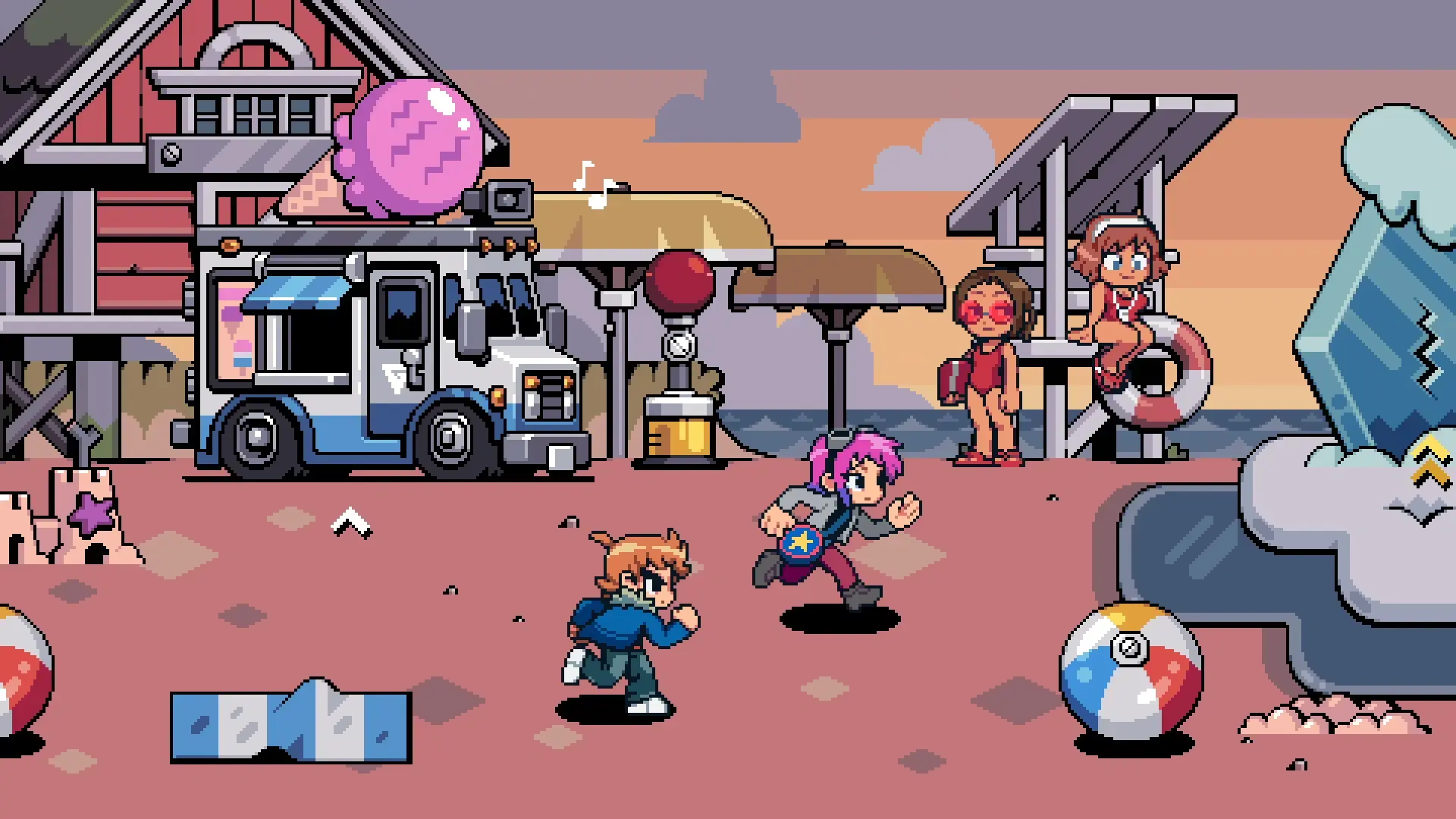
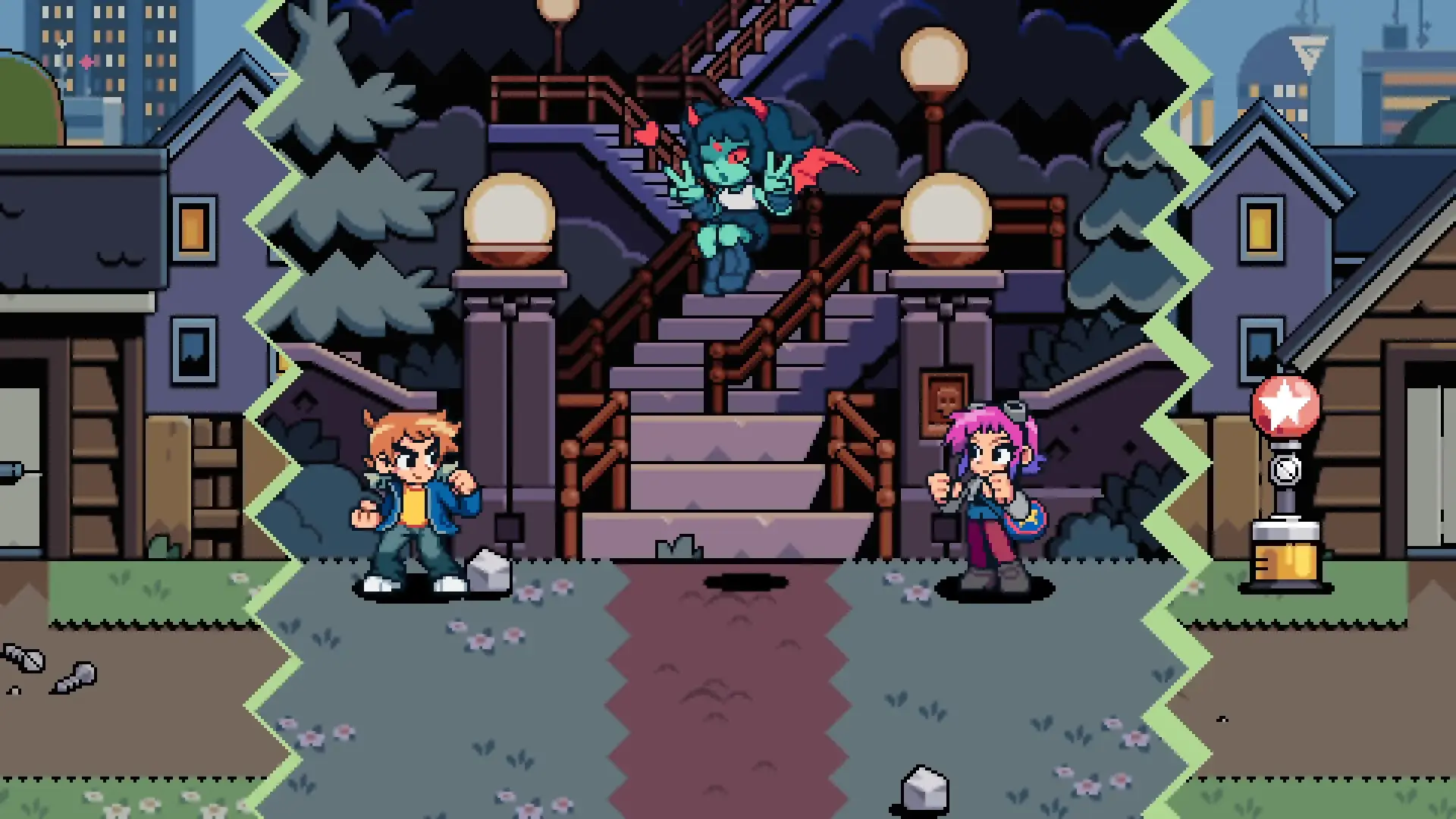

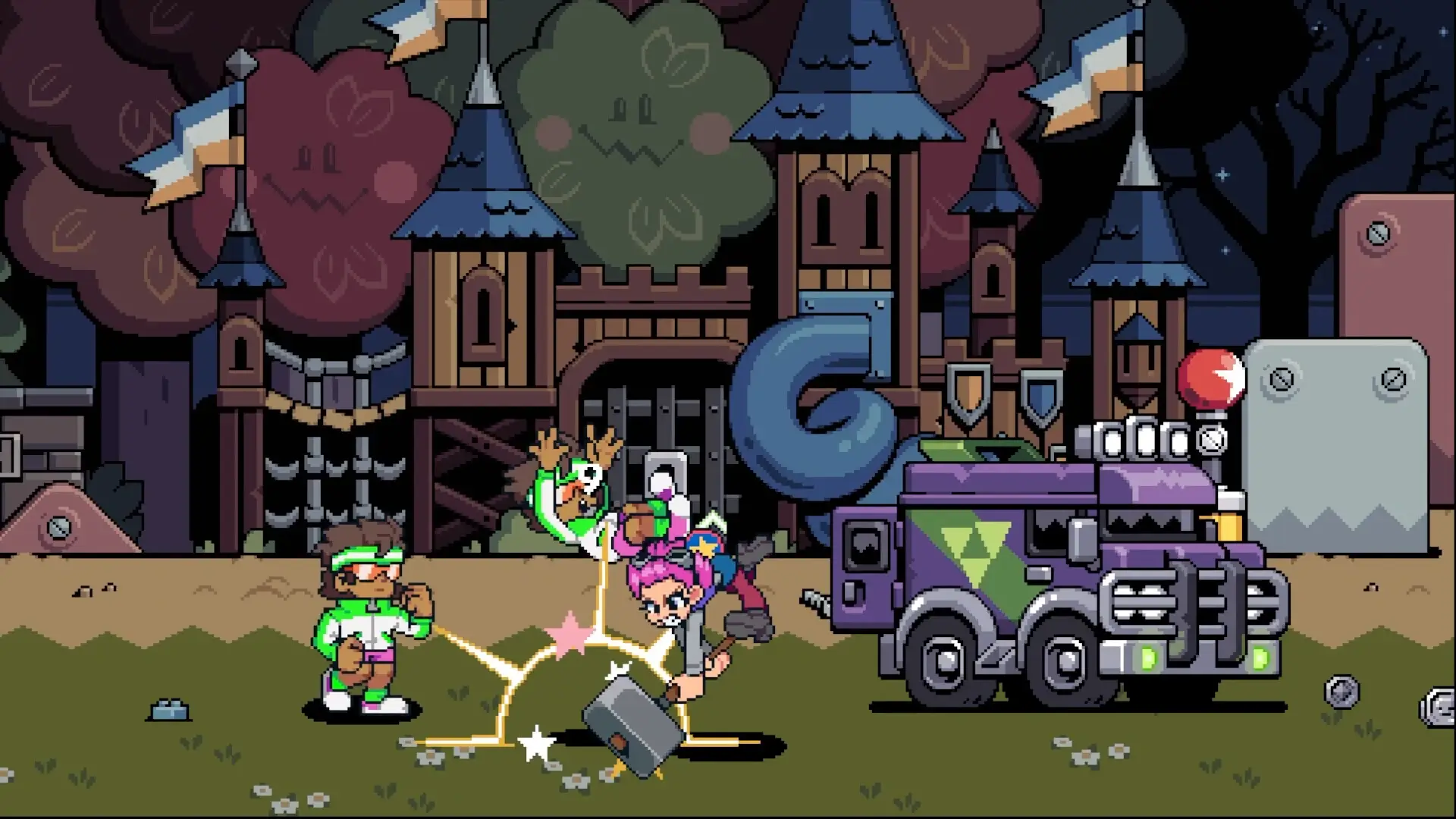
🎬 Gameplay Video


















Comments
Leave a Comment
Your email address will not be published. Required fields are marked *