Gloom: System Breach Torrent Download

Table of Contents
📚 Gloom: System Breach Overview
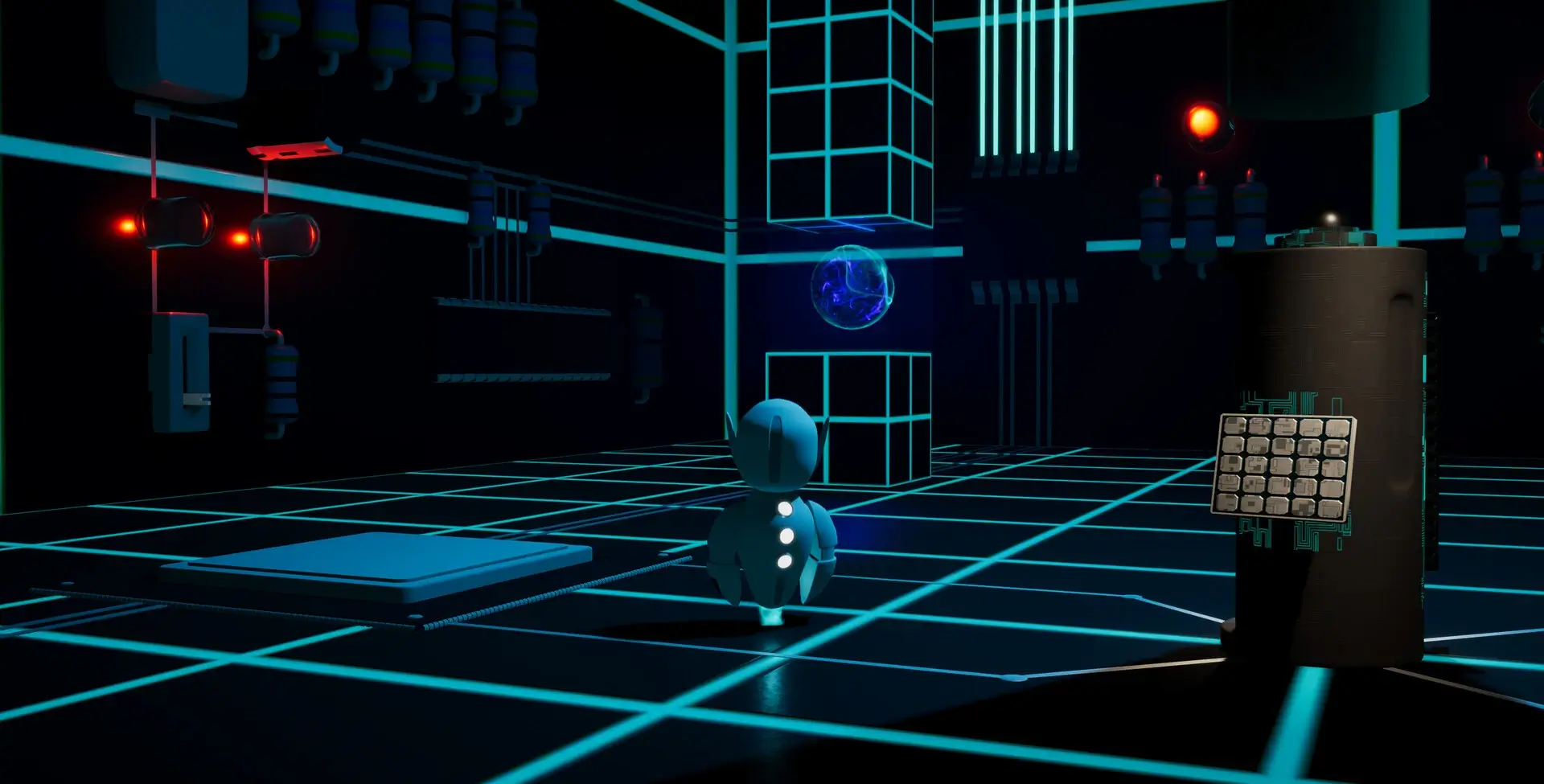
In “Gloom: System Breach,” players step into the role of a small robot in a 3D sci-fi action adventure. The game offers a third-person perspective, allowing players to navigate through a non-working system. The main objective is to activate individual systems and fight opponents guarding essential electronic parts. Players can also develop combat skills as they progress.
Assistance comes from another small robot, guiding players with directions and next steps. The exploration aspect is intriguing, as players venture into various parts of the system. Each location has a unique graphic style, offering diverse enemies and puzzles. The game stands out with its ambient style, focusing on the interplay of lights, shadows, and reflections.
Visuals are a significant part of the experience, with five graphics modes available. Two modes support raytracing, enhancing the visual quality. Players can adjust the raytracing quality by selecting either the Performant or Quality profile. This flexibility allows players to tailor the visual experience to their preferences.
The core mechanics involve fighting opponents, collecting electronic components, and unlocking new locations using platform elements. The game is particularly appealing to those who enjoy robots, exploration, and an ambient style. The combination of action and exploration creates a compelling experience, making it an attractive choice for fans of the genre.
🎮 Game Information
| 🕹️ TITLE: | Gloom: System Breach |
|---|---|
| ⚡ VERSION: | v1.0.7 |
| 🛠️ DEVELOPER: | MudPie Studio |
| 💻 PUBLISHER: | MudPie Studio |
| 📅 RELEASE DATE: | May 16, 2025 |
| 📂 GENRE: | Action, Adventure, Indie |
| 💾 SIZE: | 342.3 MB |
| 🔒 CRACKED BY: | TENOKE |
| 💸 BUY LINK: | Store Page |
| ⭐ USER RATING: |
⚙️ Installation Instructions
We have simple instructions for downloading and installing the Gloom: System Breach torrent game on your Windows operating system. The procedure is the same for all Windows operating systems. Before proceeding, ensure that your system meets the minimum system requirements to play the Game.
You must have zip file extracting software and torrent software installed on your PC. If you do not have these two software programs installed on your PC, then you will first need to download and install the two software programs on your PC before following the steps.
You can use any zip file extracting software and torrent software, (We recommend "WinRAR" and "qBittorrent" Software). WinRAR / 7-Zip / µTorrent Classic / qBittorrent (64-bit) / qBittorrent (32-bit).
Follow the simple instructions:
- First, click on the "Torrent Download" button, and download the torrent Gloom: System Breach.zip file on your PC.
- Right-click on the Gloom: System Breach.zip file and click on the "extract here" option from the dropdown menu.
- Double click on the .torrent file. Then, choose the download folder.
- After Download Completed, Open the Gloom: System Breach Game folder.
- Double-click on the Setup.exe file.
- Follow the on-screen installation wizard to install the game on your PC.
- You may need to provide administrator permissions for the installation to proceed. If asked, click Yes to continue.
If you get any missing dll errors or the game is not launching, then Download Redist File and install all programs available in the "Redist" folder.
Done!. Now you can launch the game from your desktop.
⬇️ Gloom: System Breach Torrent Download Link
🖥️ Minimum Requirements
- Requires a 64-bit processor and operating system
- OS: Windows 10 / 11
- Processor: Core i3 / Ryzen 5
- Memory: 8 GB RAM
- Graphics: GTX 1650 / RX 5500 XT
- DirectX: Version 11
- Storage: 4 GB available space
⭐ Recommended Requirements
- Requires a 64-bit processor and operating system
- OS: Windows 10 / 11
- Processor: Core i5 / Ryzen 5
- Memory: 8 GB RAM
- Graphics: RTX 2060 / RX 5600 XT
- DirectX: Version 12
- Storage: 4 GB available space
📷 Gameplay Screenshots



🎬 Gameplay Video



















Comments
Leave a Comment
Your email address will not be published. Required fields are marked *